Export your custom GPT before it retires
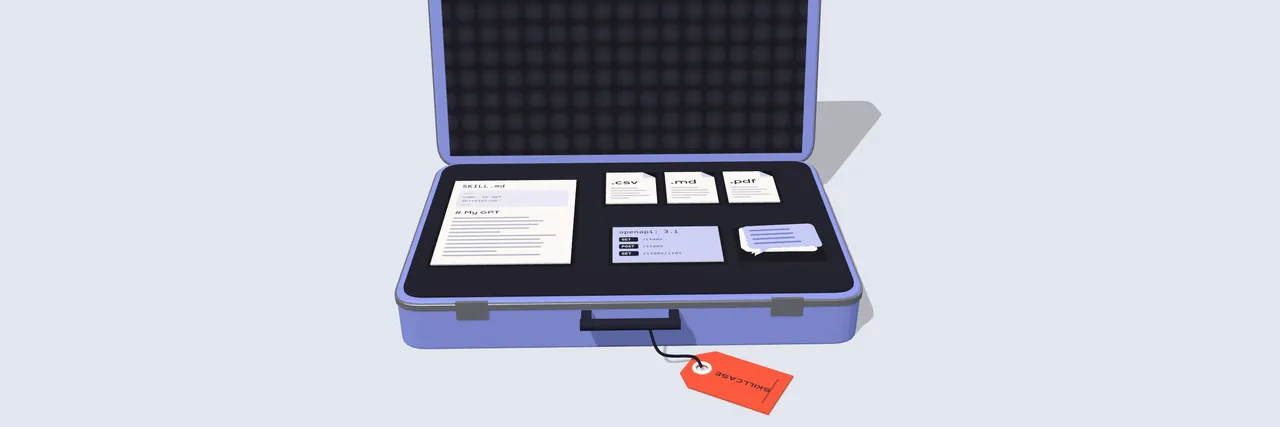
OpenAI's standard retirement date for custom GPTs is December 11, 2026. Paste your GPT's setup here, add its knowledge files and your ChatGPT export, and keep all of it: a backup you can open anywhere, a skill for Claude, Gemini and ChatGPT, and your chats with the GPT.
Custom GPTs retire on December 11, 2026
Some Enterprise and FedRAMP workspaces have until February 11, 2027. What OpenAI says, with sources.
Packing a Gemini Gem instead? Google makes Gems on personal accounts read-only on November 17, 2026. Pack a Gem, or see what Google's move leaves behind.
Skillcase is an independent tool by Peak Apps Studio. Not affiliated with OpenAI or Google.
Keep Google's own copy too
Your chats with a Gem are not part of the Gem. Google Takeout can send you both: its "Gemini" item holds your Gems data, and your Gemini chats are under My Activity.
- Go to takeout.google.com, signed in to the account you use for Gemini, and choose Deselect all.
- Tick "Gemini" for your Gems data. For your chats, tick "My Activity", open "All activity data included", choose Deselect all, tick "Gemini Apps" and click OK.
- Choose Next step, then Create export. Google says it can take from a few hours to a few days, and an emailed link works for 7 days.
Google's help page does not describe the layout of the Gems data in the archive, so Skillcase does not read it. Keep the archive next to your backup. Source: Google, Download your Gemini Apps data, checked October 27, 2026.
Your chats with the GPT
In ChatGPT, open Settings, then Data controls, then Export data. OpenAI emails a link to a ZIP file; open that ZIP here as it is. Skillcase reads only the conversations file inside it and finds the chats you had with each GPT.
Where each part of a GPT is
A custom GPT is a few boxes of text, some files, optional actions and the chats people had with it. ChatGPT's data export holds your chats; OpenAI's help page on it does not list GPT settings, so copy the rest from the GPT editor of a GPT you made.
| Part | Where it is in ChatGPT | In the backup |
|---|---|---|
| Name, description, instructions, conversation starters | My GPTs, the GPT's edit button, Configure | gpt.json, instructions.md and the skill's SKILL.md |
| Knowledge files | Configure, Knowledge. Use your own copies of the files | knowledge/ and the skill's references/ |
| Capabilities | Configure, Capabilities | gpt.json |
| Actions | Configure, Actions: open the action and copy its schema | actions/, with a list of operations and rebuild notes |
| Chats with the GPT | Settings, Data controls, Export data | chats/: one Markdown file per chat, all-chats.md, chats.json |
If you made the GPT and see "Migrate to plugin" next to it in My GPTs, OpenAI's own migration is worth doing too: it turns the instructions into a skill and copies the knowledge files into a plugin. It does not carry over custom actions, the selected model or sharing settings, and the plugin starts private. A Skillcase backup keeps a copy outside ChatGPT either way.
Sources: OpenAI, Moving your custom GPT workflows to plugins and Custom GPT retirement and migration FAQ; Exporting your ChatGPT history and data. Last checked: October 27, 2026.
Where each part of a Gem is
Google turns Gems into skills on its own, but its move leaves some files and tools behind. A Gem is a name, a description, instructions, knowledge files and the Gemini tools it was set to use. Copy them from the Gem's editor while you still can: on personal accounts Gems become read-only on November 17, 2026 and are removed on December 17, 2026.
| Part | Where it is in Gemini | Google's move to skills |
|---|---|---|
| Name, description, instructions | Gems, then Edit next to the Gem | Carried over |
| Knowledge files | Edit, Knowledge: click each file, then Download | Carried over, except audio, video, .doc, .xls, .ppt, archives and GitHub files. Above 100 MB, the largest files are removed first |
| Files from Google Drive | In your Drive: the Gem uses the latest version | Google says adding Drive files to skills is coming "in the coming weeks" |
| Gemini tools (Canvas, Deep Research, Create video, Create music, Guided learning) | The Gem's settings | Google says these do not work with skills for now |
| Your chats with the Gem | Google Takeout, My Activity, Gemini Apps | Not part of a skill |
Google says skills need you to be 18 or over with Keep Activity on, while Gems were open from age 13 (or the age that applies in your country). If you are under 18, Google says your Gems move to skills at a later date.
Sources: Google, About the transition from Gems to skills, Use Gems in Gemini Apps, Create and manage skills for Gemini Apps and Download your Gemini Apps data. Last checked: October 27, 2026. Not affiliated with Google.
Which file goes where
OpenAI, Anthropic and Google have all moved to the same kind of package: a skill, a folder with a SKILL.md file of instructions and optional reference files, in the open Agent Skills format. Skillcase writes that folder from your GPT, plus a Claude project text and an Ollama Modelfile.
| Assistant | File | How to add it |
|---|---|---|
| Claude | Skill for Claude and ChatGPT (ZIP) | Customize, Skills, +, Create skill, Upload a skill. Anthropic says skills are on every plan, Free included, and need code execution turned on. |
| Claude project | The copied instructions and your knowledge files | Create a project, paste the instructions, upload the files to its knowledge. Anthropic says free accounts can have up to five projects. |
| Gemini | Skill for Gemini (ZIP) | Customize, Skills, Create, Upload. Google says you need to be 18 or over with Keep Activity on, and skills take plain-text files, PDFs and images, up to 100 MB in total. Skillcase turns Word (.docx) files into text for it. |
| ChatGPT | The skill folder in the backup | OpenAI's skills follow the same Agent Skills format; standalone skills are in the ChatGPT desktop app and Codex. |
| Ollama | Modelfile | Set FROM to a model you have pulled, then run ollama create with the file. |
Gemini Gems are being retired too. Google says Gems on personal accounts become read-only on November 17, 2026 and are removed on December 17, 2026, as they turn into skills. That is why Skillcase makes a Gemini skill, not a Gem. Have a Gem of your own? Pack it here and see which of its files Google's move leaves behind.
Sources: Agent Skills specification; OpenAI, Build skills; Anthropic, Using Skills in Claude and What are projects?; Google, Create and manage skills for Gemini Apps and About the transition from Gems to skills; Ollama, Modelfile reference. Last checked: October 27, 2026.
Questions
When are custom GPTs retired?
OpenAI's retirement FAQ gives December 11, 2026 as the standard retirement date. FedRAMP workspaces and affected Enterprise workspaces with an approved deferral have until February 11, 2027. OpenAI says the dates may change (OpenAI Help, checked October 27, 2026).
Does the ChatGPT data export include my GPT's instructions?
OpenAI's help page on exporting describes your chat history and account data and does not list GPT settings. Copy the name, description, instructions and conversation starters from the GPT editor, and keep your own copies of the knowledge files.
What happens to my chats with a GPT?
OpenAI's retirement FAQ says existing conversations with custom GPTs stay accessible after retirement. They do not move into a plugin, so a ChatGPT data export is how you keep a copy outside ChatGPT. Skillcase finds those chats in the export and saves them as Markdown. See how to save your custom GPT chats.
Can I save a GPT that someone else made?
You can copy instructions and files only from a GPT whose editor you can open, which usually means one you made. For someone else's GPT, OpenAI's guide says to ask its creator or a workspace admin to migrate it. Your own chats with it are in your ChatGPT data export, and Skillcase can save those.
What happens to custom actions?
OpenAI says GPT custom actions do not transfer through its migration and need rebuilding with a supported connector or a custom MCP server. Skillcase keeps each action's OpenAPI schema with a list of its operations, so whoever rebuilds it starts from the real schema.
Is anything uploaded?
No. The page reads your text, files and export on your own device and builds the ZIP files there. Nothing is sent or stored, and Skillcase never asks for your OpenAI password.
Can Skillcase pack a Gemini Gem?
Yes. Choose "A Gemini Gem" above the form, paste the Gem's name, description and instructions, and add its knowledge files. Skillcase marks the files Google's own move to skills leaves out (audio, video, .doc, .xls, .ppt and archives, and the largest files above 100 MB), keeps every file in the backup, and turns Word (.docx) files into text for the Gemini skill. See what happens to Gems.
Is Skillcase made by OpenAI?
No. Skillcase is an independent tool by Peak Apps Studio and is not affiliated with OpenAI, Anthropic, Google or Ollama.