Read your Character.AI data export
Character.AI sends your export as a password-protected ZIP of JSON files that nothing on your computer can show as chats. Drop it here and every conversation opens as text you can read, search and save.
0network requests carrying your fileThis page reads the export on your device and has nowhere to send it. How to check
- Opens the password-protected ZIP with the email address of your account, which is the password Character.AI uses.
- Opens big exports: in our test, a 106 MB export with 382,860 messages opened in 10 to 16 seconds.
- Saves a chat as HTML, plain text or Markdown for free.
- Turns your characters and chats into character cards and chat files that SillyTavern, Janitor AI and other apps import. What comes over
Open your export
Use the ZIP you downloaded from the Character.AI email, or the message.json from an export you already unzipped.
The sample has invented chats in the same layout as a real export, so you can see the reader before your email arrives.
Opening your export
Reading the file…
Large exports take a few seconds per 100 MB. The page stays usable while it works.
This file didn’t open
Several exports at once
Merging exports into one archive is part of Pro. You can open the first file now, or get Pro to read them together with repeated messages removed.
Choose a chat on the left. Chats are listed newest first.
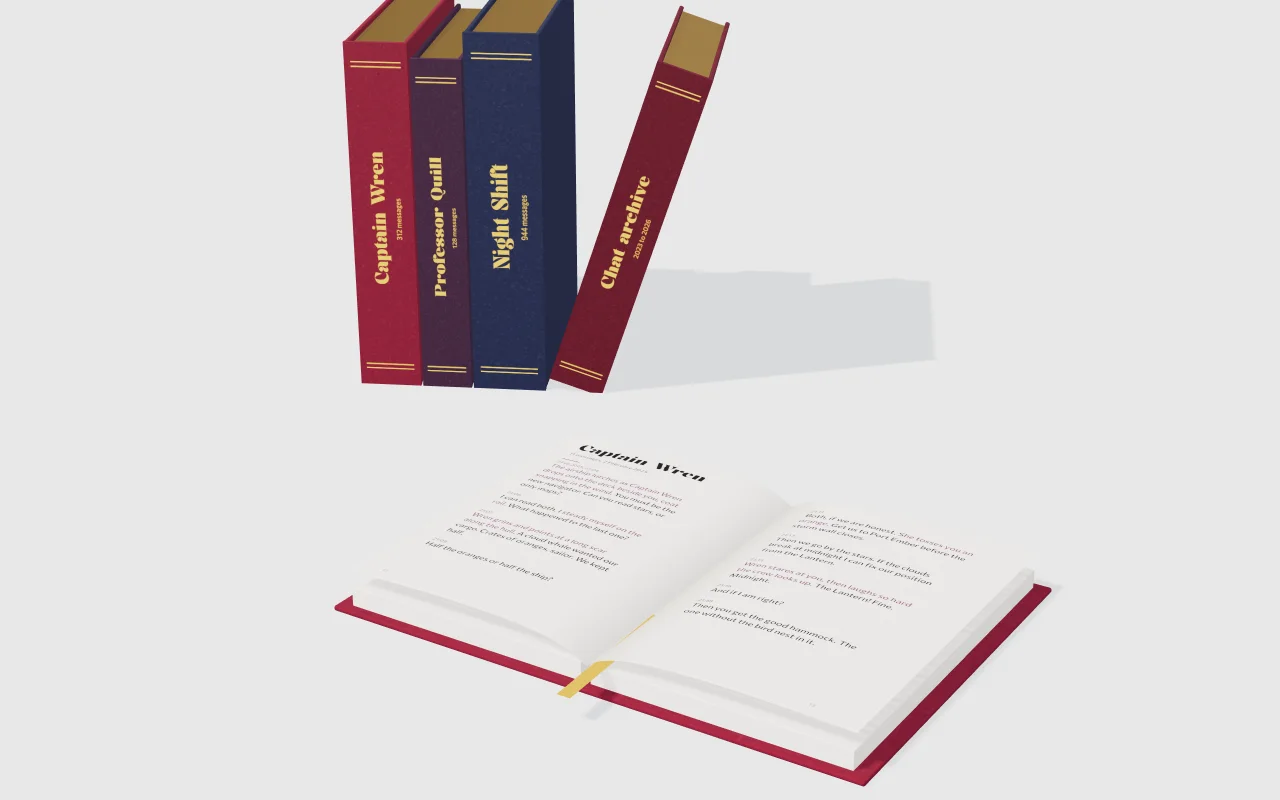
Keep the whole archive. Every chat in one offline book with search, a PDF, or an EPUB for your e-reader.
How to get your Character.AI export
Character.AI makes the export when you ask for it in your settings, then emails you a link. Its help centre says the export can take 3 to 4 weeks and that the download link works for 7 days after the email is sent.
In the mobile app
- Open your profile.
- Tap the Settings icon.
- Tap Legal & Privacy.
- Tap Export Data. A “Success” banner confirms the request.
On the website
- Go to your profile and click Profile Settings.
- Click Account.
- Click Manage Account & Data.
- Click Export Data. A pop-up confirms the email will follow.
When to expect it
The email and the password
A hands-on account of a real export (AIInsightsNews, May 2026) shows an email from accounts@character.ai with the subject “Character AI User Data Export”. It links to a ZIP and says: “The password is your lowercase email address.” Download the ZIP while the link works, then open it here and type that address when asked. More on the ZIP password, and what to do if the export isn’t arriving or won’t open.
Sources: Character.AI Help Center, “How do I download my data?” (checked 21 October 2026); AIInsightsNews, “How to Export Character AI Chat in 2026” (25 May 2026).
What’s inside the file
The ZIP holds a folder named after your username, a data folder inside it, and three JSON files.
| File | What it holds | How Chatbound shows it |
|---|---|---|
message.json | Every message, with chat_id, raw_content (the text) and create_time | Grouped into chats by chat_id, in time order |
character.json | The characters your account created: name, tagline, description, greeting, definition | The Characters tab, with each definition ready to copy |
user.json | Your account: first name, email, sign-up date | The About this file tab |
The messages have no field that says who sent them or which character a chat was with, so Chatbound shows each chat in time order without guessing names. When a chat starts with the exact greeting of a character you created, the chat says so. The full breakdown is in what’s in the Character.AI export.
Move your characters and chats to another app
Open your export, then the Move to another app tab. For each character, Chatbound makes a character card in the Character Card V2 format, the one SillyTavern, Janitor AI, Perchance and Sakura.fm import, as a PNG picture with the card inside it or as a JSON file. Each chat becomes a SillyTavern chat file (JSONL). It all happens on your device, from the export file, so it works without the Character.AI website.
What comes over
| In your export | On the card or in the chat file |
|---|---|
| Character name | Name |
| Description | Description |
| Greeting | First message |
| Definition | Example messages. If yours is mostly a description rather than sample dialogue, move it to the description in the new app. |
| Tagline | Creator’s notes, which apps show but don’t send to the AI |
Every chat in message.json | One chat file per chat, every message in order with its time |
What doesn’t, because the export doesn’t have it
- Characters made by other people. The export only defines the characters your account created. For the others, the card holds the name you type and the chat’s first message (the character’s greeting); you can add a description yourself.
- Pictures. The export has no character pictures. Cards get a plain lettered picture, or one you choose.
- Who sent each message. Chatbound lays the turns out the way a Character.AI chat runs (the character’s greeting, then you, then the character) and shows you a preview; where it goes out of step, you swap it from that message on.
- Personality and scenario. Character.AI has no such fields, so they stay empty. Pinned memories aren’t in the export either.
Where each app puts it
- SillyTavern imports the cards and the chat files.
- Janitor AI imports a card when you choose it as the character’s image. It has no way to import chat history.
- Perchance AI Character Chat imports the cards and the chat files.
- Sakura.fm imports the cards, not chats.
One character, with its card and all its chats, is free. Pro converts every character and every chat at once into one ZIP.
Browser extensions that copy characters from the Character.AI website only work while the site and your account are up. The export is a copy you keep, and Chatbound reads it offline.
Free, and Pro for the whole archive
Free
No account, no limit on size
- Open the password-protected export ZIP, or its JSON files
- Every chat, newest first, in a clean reading view
- Search across every message
- Your characters’ greetings and definitions
- Save any chat as HTML, plain text or Markdown
- Move one character to another app: its card (PNG or JSON) and its chats as SillyTavern files
Pro
$8 once, for this tool on your devices
- Every character and every chat at once, as one ZIP of character cards and chat files, with notes on importing them
- One offline HTML book of every chat, with a cover, contents and search
- Every chat as a PDF, laid out in pages
- An EPUB for Apple Books, Google Play Books, Kobo and other readers
- Merge several exports into one archive, with repeated messages removed, then read or convert them together
How to check that nothing is uploaded
Your chats are private, so this page is built to have no way of sending them anywhere, and you can check that yourself.
- Open this page, then turn off Wi-Fi or mobile data. Open your export: it still works, because nothing needs the internet.
- Watch the counter at the top. It counts every network request the page makes after you open a file (the anonymous visit count included) and stays at 0 while you read.
- Open your browser’s developer tools, Network tab, and open your export. No request appears while it opens, and none when you read, search or save.
The page also carries a security policy that allows two connections and nothing else: Gumroad’s licence check, used only when you paste a Pro key, and Cloudflare Web Analytics, which counts visits to the page without cookies. In the Network tab you will see that visit count when the page loads. Your file, your email address and your chats are never sent to either, or anywhere else. The privacy page lists exactly what the page sends and stores.
Questions
What is the password for the Character.AI export ZIP?
The email address of your Character.AI account, all in lowercase. The export email says so. Chatbound asks for it after you drop the ZIP and forgives capitals and stray spaces.
Why doesn’t it show who said what?
The export doesn’t record it. Each message in message.json has its text, a time and the chat it belongs to, and nothing about the sender. Chatbound shows the messages in time order and never invents names.
My export email hasn’t arrived.
Character.AI says exports can take 3 to 4 weeks. Check your spam folder and the inbox of the email on your account. If the link in the email has expired (it works for 7 days), ask for a new export in your settings. There are more fixes on the export not working page.
Will a very large export open?
Yes. The file is read in pieces in a background worker, so the page doesn’t freeze. In our test, a 106 MB password-protected ZIP holding 288 MB of messages (382,860 of them) opened in 9.5 to 16 seconds on a laptop across our test runs, and the page never paused for more than a quarter of a second. On a phone, very large exports work but take longer and need free memory.
Does it work on a phone?
Yes, in a current browser on Android or iPhone. Download the ZIP from the email first, then choose it from your Files or Downloads.
Can I move my characters and chats to another app?
Yes. The Move to another app tab turns the export into character cards (Character Card V2, as PNG or JSON) and SillyTavern chat files. SillyTavern and Perchance import both. Janitor AI and Sakura.fm import the cards but have no way to import old chats. Step-by-step guides: SillyTavern, Janitor AI, Perchance and Sakura.fm.
Will the moved chat know who said what?
Only as well as the layout you check. The export has no sender field, so Chatbound starts from how a Character.AI chat runs: the character’s greeting, then you, then the character, in turns. The preview shows the names it will write; if a chat goes out of step (for example after you regenerated replies), press “Swap from here” on the first wrong message. The text of every message is copied exactly.
Is this made by Character.AI?
No. Chatbound is an independent tool by Peak Apps Studio and is not affiliated with, endorsed by or sponsored by Character Technologies, Inc., Janitor AI, SillyTavern, Perchance or Sakura.fm.
Chatbound is not affiliated with Character Technologies, Janitor AI or SillyTavern. Character.AI, Janitor AI, SillyTavern, Perchance and Sakura.fm are names of their owners, used here only to say which export this tool reads and which apps can import what it makes.