See all your Oura data without a membership
Without a membership, the Oura app shows three daily scores. The data export Oura gives every ring owner still holds the rest: every night’s sleep stages, HRV, resting heart rate, temperature, blood oxygen, stress and workouts. Open it here to see all of it. It is read in this browser tab and never uploaded.
Open your Oura export
The ZIP from the Membership Hub (Export data), as it is, or the CSV files inside it.
Or drag the ZIP onto this box. The sample is a made-up person, built in your browser.
No export yet? Ask Oura for it now; it can take a few days to arrive.
Reading your export
Starting
That file has no nights or days in it
Health data stays on your device. Your export is read in this tab and never uploaded, and files such as your location history, meals and medication are not even opened. We count page visits with Cloudflare Web Analytics: no cookies, no personal data, and never your files.

Get your data export from Oura
Oura lets every ring owner download their data, with or without a membership. You ask for it in the Membership Hub, not in the app’s own screens.
- Open membership.ouraring.com and sign in with your Oura account; Oura emails you a code. From the app you get there through Settings, Account, Manage membership.
- Choose Export data, then Request your data.
- Wait for Oura’s email. Oura’s help page says an export can take up to 10 days to be ready.
- Download the ZIP from the Membership Hub and open it on this page as it is. No need to unzip it.
More detail, what the ZIP holds and what each file means: how to export your Oura data. Sources: Oura Member Care, Export & Share Your Oura Data and Oura Membership, checked 22 October 2026.
What the export gives back
Oura’s help page lists what stays without a membership: “your three daily Oura scores (Readiness, Activity, and Sleep)”, the ring battery, your profile, settings and the Explore content. It also says: “Even without a membership, you can export all of your Oura data in CSV format through the Membership Hub.” That export is what Nightjar reads.
The export is a snapshot of the day you asked for it. For newer nights, ask for a new one.
| Reading | Oura app, no membership | Nightjar, from the export |
|---|---|---|
| Sleep, Readiness and Activity scores | The three scores | The scores and every contributor behind them |
| Sleep stages, night by night | No | Deep, light, REM and awake in five-minute steps |
| Heart rate and HRV | No | Through each night, lowest heart rate, HRV trend |
| Blood oxygen | No | Nightly average and breathing disturbance index |
| Stress and resilience | No | Daily high-stress and recovery time, resilience level |
| Temperature | No | Nightly deviation from your baseline |
| Workouts and tags | No | Every workout and every tag you added |
Nightjar Pro
$9 once. No subscription, no account.
Free shows your latest 90 nights and days with everything in them. Pro adds:
- Every year in your export, and any stretch of dates you choose.
- Two periods side by side: this month against last, winter against summer, before and after a change.
- Tags against your nights: HRV, heart rate and sleep after the days you tagged alcohol, caffeine, a late meal or your own tags, against the other nights. Shown as correlation, with the number of nights behind each figure.
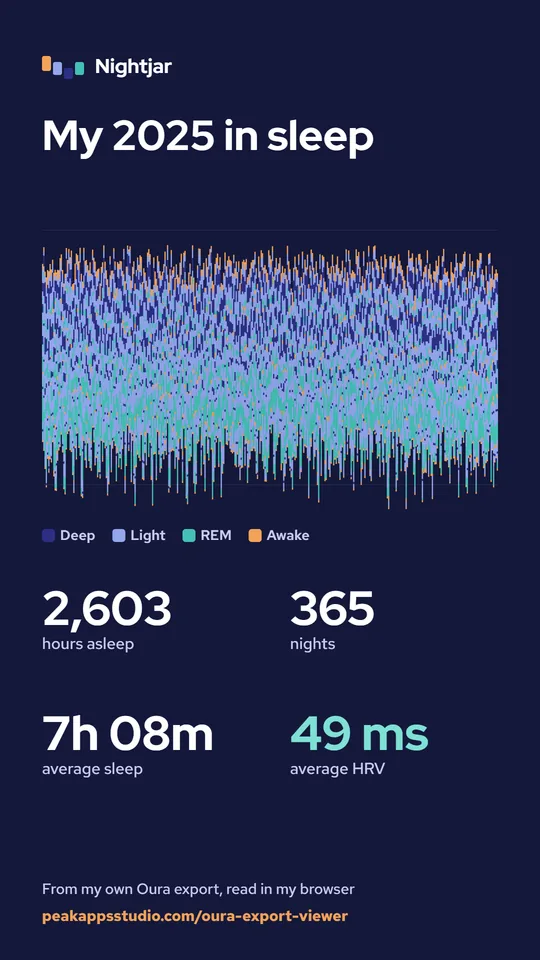
- A year-of-sleep set of cards to share, and a PDF report of any period.
- Several exports merged into one history, and a clean CSV with one row per day.
Pro is not active on this browser.
Payment and the license key are handled by Gumroad, which shows the price in your currency. The key works on any browser you paste it into, and on the German, French and Japanese pages.
Your data stays on your device
Sleep and heart data are about as personal as data gets, so Nightjar never takes them anywhere. The ZIP is opened by JavaScript in this tab. There is no upload, no account and no server that sees your nights; closing the tab discards everything.
Only the files Nightjar shows are opened: the daily sleep, readiness, activity, blood oxygen, stress and resilience files, the sleep periods, heart rate, temperature, workouts, sessions and tags. An Oura export can also hold location history, meals, medication and cycle data. Those files stay shut, and “What was read” lists them by name.
You can check it yourself: load this page, turn on airplane mode, then open your export. It works the same, because nothing needs the network. Pro asks Gumroad about your license key, once a week at most, and sends nothing else. Privacy.
Questions
Can I use an Oura Ring without a membership?
Yes, with limits. Oura’s own help page says that without an active membership you only see your three daily scores (Readiness, Activity and Sleep). The ring keeps measuring, and Oura lets every owner export all of their data as CSV files from the Membership Hub. Nightjar reads that export and shows the rest: sleep stages, HRV, heart rate, temperature, blood oxygen, stress and workouts.
How do I export my Oura data?
Sign in at membership.ouraring.com with your Oura account, choose Export data, then Request your data. Oura emails you when the export is ready (its help page says this can take up to 10 days). Download the ZIP from the Membership Hub and open it on this page as it is. Step by step: how to export your Oura data.
Is my Oura data uploaded anywhere?
No. The ZIP is opened by JavaScript in your browser tab and is never sent to a server. Only the sleep, readiness, activity, heart rate, temperature, stress, workout, session and tag files are opened; files such as location, meals and medication stay shut. Closing the tab discards everything. Privacy.
Does it work on an iPhone?
Yes. Save the ZIP from the Membership Hub to the Files app, open this page in Safari, tap Choose the ZIP and pick it. Nothing needs installing. A few years of heart rate readings can take a minute to read on a phone.
Why do some numbers differ from the Oura app?
Nightjar shows the numbers Oura wrote into the export: the scores, contributors, durations (the export gives them in seconds), HRV and heart rate. Averages are over the nights that have a reading. The stage strip uses the export’s five-minute stages, which can differ slightly from the app’s chart.
Is this medical advice?
No. Nightjar shows your own numbers with plain explanations of what each one is. It is not a medical device, does not diagnose anything and does not tell you what to do. If a reading worries you, talk to a doctor.
Is Nightjar made by Oura?
No. Nightjar is an independent tool by Peak Apps Studio. It is not affiliated with, endorsed by or sponsored by Oura Health Oy, never connects to your Oura account and never asks for your login. Oura is a trademark of Oura Health Oy.